
Last checked 14 Sep 2026 · Steam Early Access. Guides may change after patches.
WARDOGS Tick Rate Explained (What Players Mean in EA)
TL;DR: In shooters, tick rate (tickrate) usually means how often the server simulates and updates game state per second — not your FPS, not your ping, and not a hitch spike. Players searching wardogs tick rate / war dogs tick rate want a plain-English definition plus honesty about Early Access: whether the client UI / netgraph exposes tick is not confirmed in public UI as of 2026-09-21 . Hosting-provider packaging sometimes advertises a locked 30 Hz community-server figure (QONZER / Guided.news class) — treat that as a dated provider claim, not a Bulkhead matchmaking glossary entry, and do not invent official Hz for official servers. Feeling lagged? Fork: local hitch → Stuttering; everyone delayed → Servers / Is Down. No fake Hz numbers. No FIXED stamps.
Last checked 2026-09-21 (Early Access).
What “tick rate” means (plain English)
| Term | Plain meaning | Player-facing feel when it’s low / uneven |
|---|---|---|
| Tick rate | How many times per second the server advances simulation and replicates state | Hit-reg feels mushy; “I shot first”; rubber-band in fights |
| Tick (one) | A single server simulation step | — |
| Tickrate (spelling) | Same idea; community shorthand | Same searches |
Analogy: your PC draws frames (FPS). The server advances the shared world on its own clock (ticks). A silky 200 FPS client cannot invent server ticks that never happened.
What tick rate is not
| Not this | Why people confuse it | Right page |
|---|---|---|
| FPS / frame rate | Both are “per second” numbers | Stuttering / FPS · Best Settings · How to Show FPS |
| Ping / latency (ms) | Delay to the server ≠ simulation rate | Network / Servers |
| Hitching / stutter | Uneven frame times on your GPU/CPU/storage | Stuttering |
| Packet loss | Delivery failures, not tick frequency | Network troubleshooting — don’t lower shadows |
| Anti-cheat “ticks” | Folklore | Elytra is launch/AC health — Crashing |
Honest EA status (UI / netgraph)
| Question | Status as of 2026-09-21 |
|---|---|
| Official Bulkhead glossary entry for matchmaking tick Hz? | None found for this page — do not invent |
| Community-server hosting marketing figures? | Provider packaging claims exist (see below) — not the same as “official UI shows X” |
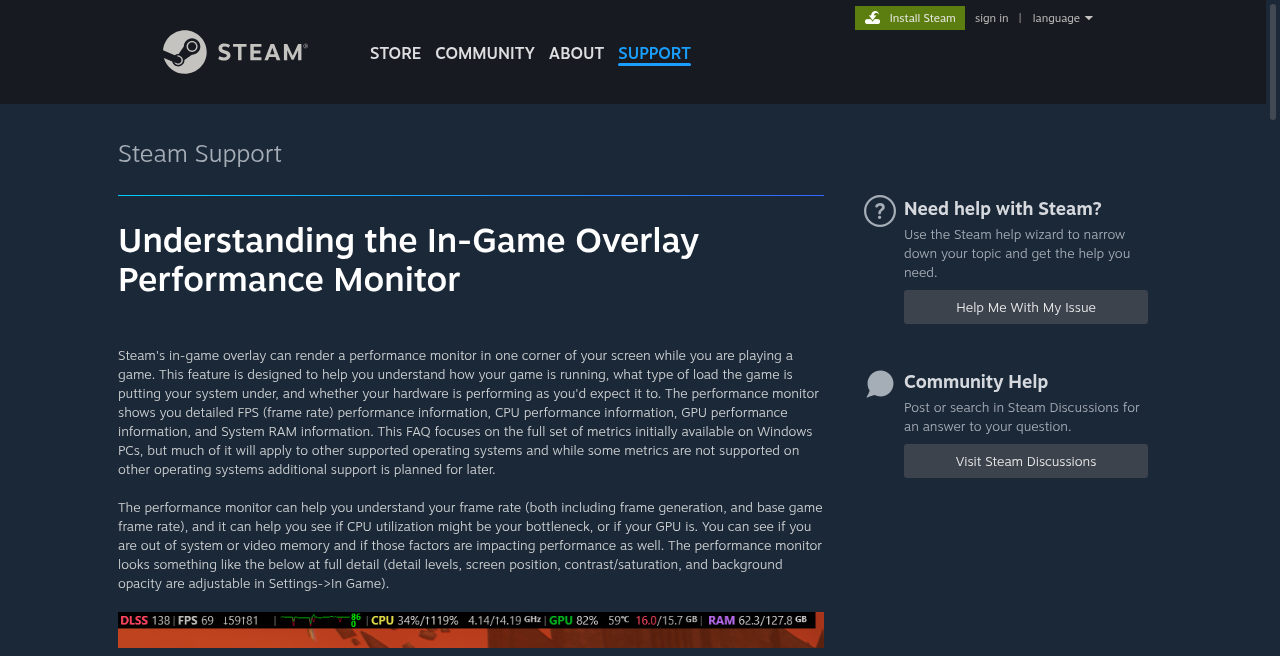
| Steam Overlay FPS counter? | Shows FPS, not tick — useful for the wrong metric |
Editorial rule: If a future patch adds a netgraph tick readout, rebuild this section with a dated screenshot. Until then, do not teach CS-style net_graph commands as WARDOGS facts.
Disambiguation table (stop landing on the wrong page)
| You feel… | Likely metric | First fork |
|---|---|---|
| Smooth picture, but shots “don’t count” / peekers advantage talk | Tick / netcode / server sim (or ping) | This page for definition → then Servers if lobby-wide |
| Picture hitchs when entering new areas; FPS overlay spikes | Hitch / shader / streaming | Stuttering / FPS |
| Steady low FPS everywhere | Client frame rate | Best Settings |
| High ms / rubber-band; friends same region also suffer | Ping / server / routing | Is Down · Servers |
| Only you rubber-band; friends fine; FPS solid | Local net / Wi-Fi / VPN | Network path — not Ultra→Low dump |
| Game exits to desktop | CTD | Crash to Desktop |
| Can’t open the game | Launch | Won’t Launch |
Decision tree
Searching “WARDOGS tick rate” or “feels like bad tick”?
│
├─ Want a definition only?
│ └─ Stay — tick = server simulation rate (not FPS)
│
├─ Looking for an on-screen tick number?
│ └─ Not confirmed in public UI as of 2026-09-21 │ Use Steam/vendor FPS counter for FPS only — not tick
│
├─ Picture hitching / low FPS (process stays open)?
│ └─./wardogs-stuttering-fps/ → then./wardogs-best-settings/
│
├─ Lobby-wide delay / auth / queue / “is it down”?
│ └─./wardogs-is-down/./wardogs-servers-down/
│
├─ Learning modes / how matches work?
│ └─./how-to-play-wardogs/ — tick ≠ tutorial
│
└─ Hosting a community server / provider “30 Hz” ads? └─ Treat as provider packaging claim — cite Sources; not matchmaking proof
Public leads on Hz (cite carefully — do not invent)
Hard rule: This page will not invent an official matchmaking tick rate or paste marketing “60 tick” as studio fact.
| Lead (dated) | What it says | How we use it |
|---|---|---|
| QONZER WARDOGS hosting page | Marketing: locked 30 Hz tick — “max this game supports” (provider wording) | Provider packaging claim — cite URL; not a Bulkhead UI screenshot |
| Guided.news hosting explainer (2026-09-10) | Lists 30 Hz tick rate among QONZER package bullets; notes weak hardware could lower tick | Press summary of provider packaging — same caution |
| Official Steam store / News | Playable EA; no public “tick = N Hz” glossary found for this shell | Absence ≠ invent |
If Bulkhead later publishes an official figure, replace this table with a dated studio citation and rebuild.
Why hosts talk about tick at all
Large 100-player fights with destruction and vehicles are server-heavy. Provider pages sell CPU headroom as “holding tick” during three-team pushes. That marketing language is about dedicated community instances, not proof of what your current matchmaking server is running this minute.
Lag feel: tick vs servers vs local hitch
| Pattern | Lean tick/net | Lean local | Lean service |
|---|---|---|---|
| Everyone in lobby rubber-bands together | Possible server sim / capacity | Unlikely if FPS solid for all | Check Is Down |
| Only you hitch when turning corners; FPS overlay spikes | Unlikely | Shader / disk / settings | — |
| Auth errors / queue / Access Denied | No | No | Servers |
| Fine offline menus; bad only in dense Hot Zone fights | Maybe server load or your GPU | Settings / stutter fork | Status if widespread |
Practical habit: Before arguing “bad tick,” open an FPS counter (Steam overlay) once. If FPS is collapsing, fix Stuttering / Best Settings first. If FPS is flat and the whole lobby agrees shots feel delayed, use status channels — you still may not see a tick readout.
Related player questions (scope control)
| Question | Answer on this page? |
|---|---|
| What is tick rate? | Yes |
| How do I show FPS? | Pointer only → How to Show FPS · Best Settings |
| How do I raise tick rate as a client? | You generally cannot raise authoritative server tick from the client |
Do / Don’t
| Do | Don’t |
|---|---|
| Define tick as server simulation rate | Equate tick with FPS |
| Say UI tick readout is unconfirmed as of 2026-09-21 | Invent a netgraph command as WARDOGS fact |
| Cite provider 30 Hz claims as packaging leads | Invent official matchmaking Hz or FIXED |
| Send hitchers to Stutter / Settings | Tell people to lower shadows for “tick” |
| Send lobby-wide lag to Is Down / Servers | Blame Elytra for rubber-banding alone |
FAQ
Q: What is WARDOGS tick rate?
A: Players mean the server simulation rate (how often the server updates the shared world). It is not your FPS. An official public Hz figure for matchmaking is not invented here; see provider packaging notes and stamps above.
Q: What is war dogs tick rate / tickrate?
A: Same question — spelling variants. Stay on this explain page for the definition; use Stutter/Servers when the feel is hitch or outage.
Q: Does WARDOGS show tick rate in-game?
A: Not confirmed in public UI as of 2026-09-21. on your build. Steam’s FPS counter shows frames, not ticks.
Q: Is WARDOGS 30 tick / 60 tick / 128 tick?
A: Do not trust random forum numbers. QONZER hosting marketing cites a locked 30 Hz for its community servers (provider claim). Conflicting host ads exist. Official matchmaking Hz: none found for this shell — no fake numbers.
Q: Why does the game feel lagged if my FPS is high?
A: High FPS only proves the client is drawing frames. Ping, packet loss, server load, or true low/uneven tick can still feel bad. Fork with the disambiguation table; check Is Down if everyone suffers.
Q: Can launch options or best settings raise tick rate?
A: No — client settings and Steam launch options do not raise authoritative server tick. Settings help FPS/clarity; see Best Settings. Launch options are a display/API lab → Launch Options.
Q: Is hitching the same as bad tick?
A: Usually no. Hitching is uneven frame times on your machine (shaders, storage, overlays). Start at Stuttering or Low FPS.
Q: Servers down vs bad tick?
A: If joins fail, queues stall, or auth codes appear, use Servers / Is Down. “Bad tick” talk without a readable outage still needs honesty: you may not have a tick readout to prove it.
Also read / Related
- Stuttering or Low FPS — hitch vs low FPS
- Servers Down / Queue / Access Denied — service-shaped lag
- Is WARDOGS Down? — 60-second status habit
- How to Play — modes / basics (not netcode)
- Best Settings — FPS vs clarity (not tick)
- How to Show FPS — FPS readout (not tick)
- Steam Launch Options — unrelated to server tick
Sources
- QONZER — WARDOGS server hosting (marketing: locked 30 Hz tick claim): https://qonzer.com/game-servers/wardogs
- Guided.news — Server hosting explained (2026-09-10; lists 30 Hz among QONZER package bullets): https://guided.news/en/news/wardogs-server-hosting-providers-prices-self-hosting/
- Steam Store — WARDOGS (EA; no tick glossary relied on here): https://store.steampowered.com/app/1867240/WARDOGS/
- Steam — Launch Stability Hotfix #1 (service/stability context, not tick Hz): https://steamcommunity.com/app/1867240/discussions/0/562541634873654728/
- Sibling explain/fix: Stuttering · Servers · Is Down · Best Settings